
Smart TV in Belgium: Auvio, RTL Play, Pickx… 10 answers
Which Smart TV system to choose and how to watch Auvio, RTL Play or Proximus Pickx on your TV in Belgium, with or without a set-top box.
- Most apps: Google TV
- Simplest: webOS (LG)
- No set-top box: Auvio, RTL Play, VRT MAX apps
- Always check: the up-to-date list from the publisher
Short answer: Google TV (Sony, TCL, Philips, some Hisense) has the largest catalogue. webOS (LG) and Tizen (Samsung) have all the major streaming apps and most Belgian apps.
Each question has a detailed answer here, then a short answer in the FAQ at the bottom of the page. They are written by the Nimestore team in Temploux (Namur), based on what our customers ask us.
The answers in detail
Which Smart TV has the best apps?
There is no single Smart TV system that is best for everyone; check Belgian apps, speed, updates and ease of use.
Google TV or Tizen: which should I choose?
Google TV and Tizen differ in app ecosystem, interface and device integration; checking that the apps you need are available remains the priority.
webOS or Google TV: which is simpler?
webOS and Google TV are both easy to use, but ease of use depends on habits and the remote; try the navigation before buying.
How do I watch Auvio on a Smart TV?
For Auvio, the method depends on the Smart TV system and compatible devices; check RTBF's official support pages for current app and casting availability.
How do I watch RTL Play on my TV?
For RTL Play, availability depends on the system, country and app version; check RTL's official support before buying a TV for this purpose alone.
How do I use Proximus Pickx on a compatible TV?
Proximus Pickx may require a compatible app, a set-top box or a solution offered by the operator; supported models should be checked with Proximus.
Can I watch TV without a decoder in Belgium?
In Belgium, you can watch content without a decoder via apps and streaming, subject to an internet connection, broadcasting rights and any subscriptions.
Which Belgian apps work on Google TV?
Belgian apps available on Google TV change over time; check the model's app store and each broadcaster, not just a generic list.
Which TV should I buy to watch YouTube easily?
For YouTube, most recent smart TVs have an app, but check the smoothness and the control features that matter to you.
Do I need an Android TV box with a smart TV?
A streaming box is not always useful: it becomes worthwhile if the built-in system lacks updates or apps.
What to check before you buy
The apps available vary by country, operator and TV software version. Before buying for a specific app, check the Belgian broadcaster's website and the model's app store. If an app disappears, a small streaming box can serve as a backup solution.
To find out more
- Smart TVs and Belgian apps: which system for Auvio, VRT MAX, Play or Pickx?
- Getting TV in Belgium in 2026: aerial, set-top box, apps or satellite
- Apple TV, Google TV box, Fire TV: useful or not with a smart TV?
- My smart TV is lagging or glitching: the fixes that work
Official sources
Don't see your question here? Visit the shop at Route de Saussin 62 in Temploux (Wednesday to Friday 10am-6pm, Saturday 10am-4pm), or call 02 393 04 02.
Updated on 5 November 2026. Prices, stock and services: the product page on the day of your order is the reference.
Frequently asked questions
Which Smart TV has the best apps?
Google TV (Sony, TCL, Philips, some Hisense) has the largest catalogue. webOS (LG) and Tizen (Samsung) have all the major streaming apps and most Belgian apps.
Google TV or Tizen: which should I choose?
Google TV for app choice and built-in Chromecast; Tizen (Samsung) for speed and integration with Samsung phones. Both get the major apps.
webOS or Google TV: which is simpler?
webOS (LG) is often considered the simplest, with its pointer remote. Google TV is richer, with recommendations from all your services.
How do I watch Auvio on a Smart TV?
Install the app RTBF Auvio from the TV's app store, then sign in to your account. It is available on many recent smart TVs; check the up-to-date list on the RTBF website. See Belgian apps on smart TVs.
How do I watch RTL Play on my TV?
Via the app RTL Play on compatible smart TVs, or by casting from your phone (Chromecast or AirPlay depending on the TV). Check your model's compatibility on the RTL Play website.
How do I use Proximus Pickx on a compatible TV?
With a Proximus subscription, install the app Pickx on a compatible TV and sign in with your Proximus account. The list of compatible TVs is published by Proximus; otherwise, the decoder is still required.
Can I watch TV without a decoder in Belgium?
Yes, via the internet: free apps (Auvio, RTL Play, VRT MAX) and operator apps for their subscribers. Free terrestrial TV (TNT) no longer exists in French-speaking Belgium. Details: receiving TV in Belgium.
Which Belgian apps work on Google TV?
Auvio, RTL Play, VRT MAX and several operator apps are available on Google TV / Android TV. The list changes: check the TV's Play Store before buying, or ask us for a demonstration in store.
Which TV should I buy to watch YouTube easily?
All recent smart TVs have YouTube. Google TV also lets you send a video from your phone in one tap (built-in Chromecast).
Do I need an Android TV box with a smart TV?
Generally not. A box is only useful if your TV is old, slow, or missing an app. See Apple TV, Google TV, Fire TV box: useful or not?
Come and compare the screens in person
At our Temploux shop, we switch on TVs side by side with your content. Or ask our expert salesperson online, right now.
Read next
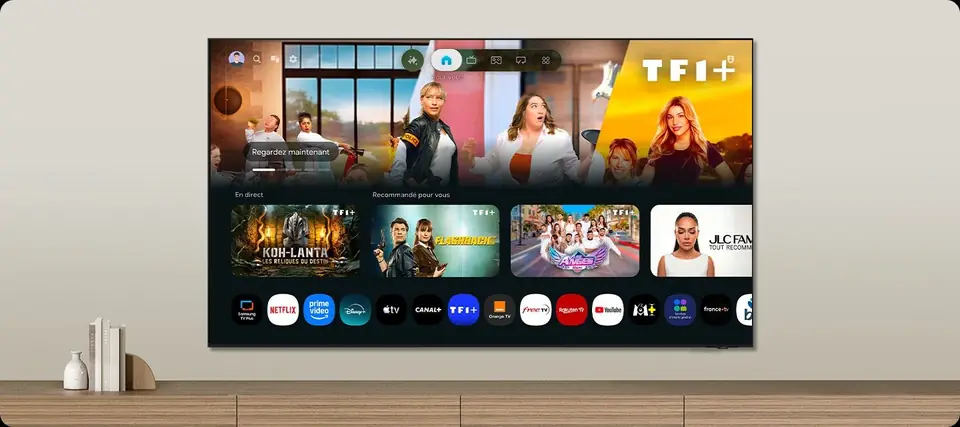 TechnologySmart TVs and Belgian apps: which system for Auvio, VRT MAX, Play or Pickx?The Smart TV system is your television's brain: menus, apps, updates. In Belgium, it also decides whether you can watch Auvio, VRT MAX or your operator's app without a box. Here's our comparison of the six 2026 systems, with a table of Belgian apps checked against the official help pages.7 min read
 PracticalGetting TV in Belgium in 2026: aerial, set-top box, apps or satelliteAerial, set-top box, app or satellite dish: in Belgium there are several ways to watch TV, and they don't all work with every television. Here's the full picture as of October 2026, to help you choose the right solution and the right TV.5 min read
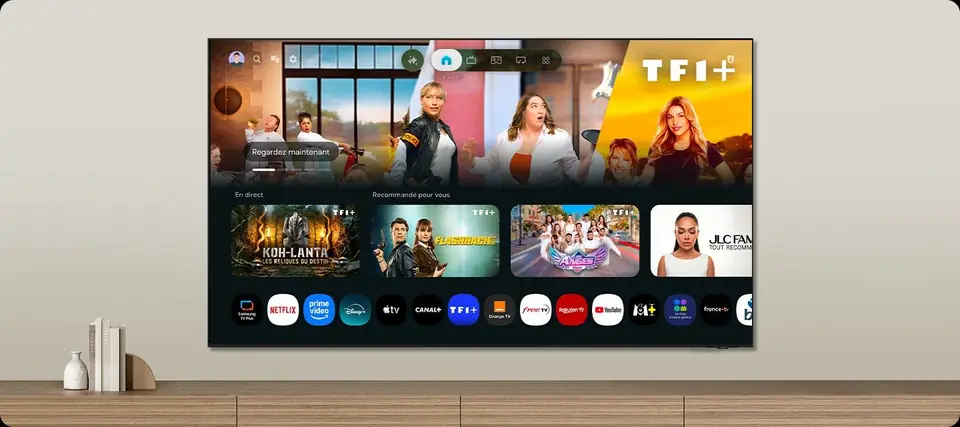 The expert's adviceApple TV, Google TV box, Fire TV: useful or not with a smart TV?Your TV already has Netflix, YouTube and Auvio. Do you still need a box? Sometimes, yes: for an Apple ecosystem, an ageing TV or a missing app. Here's when it's worth it.2 min read