
You can't hear the dialogue in films: the settings that make all the difference
Explosions rattle the living room, but the actors whisper? You're not alone, and your TV isn't broken. The problem lies in the film mix and a few default settings. Here's how to get clear voices without turning the volume up every two minutes.
- Films are mixed for the cinema, not for a living room
- Turn on the clear voice or dialogue mode on your TV
- Set the audio output to stereo if you don't have a soundbar
- A sound bar with a centre speaker fixes the problem for good
Why the voices are so low
A film is mixed for a cinema: dozens of speakers, a centre channel reserved for voices, and a very big difference between quiet passages and action scenes. At home, your TV has to squeeze all of that into two small speakers, often pointing downwards or backwards. The result: the effects come through, but the voices get lost.
Streaming platforms also send sound 5.1 (six channels). If your TV doesn't have a sound bar, it has to ‘fold down' these six channels into two, and the voice channel often comes out weaker.
The settings to change, in order
- Turn on dialogue mode. Almost all TVs have an option that boosts voices: ‘Clear Voice' or ‘Dialogue Enhancement' depending on the brand. You'll find it in the sound settings.
- Choose the right sound mode. ‘Standard' or ‘Voice' works better than ‘Cinema' or ‘Music', which emphasise the bass and atmosphere.
- Turn off virtual ‘surround' sound if you don't have speakers. It widens the soundstage, but it often pushes the voices back.
- Set the audio output to stereo (or ‘PCM') in the TV settings when you don't have a sound bar. The channels are then mixed more cleanly.
- Turn on volume levelling (‘Auto Volume', ‘Auto Level'). It narrows the gap between whispers and explosions.
Voice Amplifier
Settings › Sound › Expert settings › Voice Amplifier. The ‘Adaptive' sound mode also helps.
Clear Voice
Settings › Sound › Sound mode › Clear Voice, then adjust its level.
Dialogue Enhancement
Settings › Display and sound › Sound › Dialogue Enhancement (or ‘Voice Zoom').
Dialogue mode
In the sound settings, look for Dialogue, Clear Voice or Voice Enhancement.
Exact names may vary depending on the year and model of TV.
Turn on subtitles while you adjust the sound. If you can read them without effort, you'll soon know whether the change has made a difference.
The real solution: a sound bar with a centre channel
Settings help, but nothing replaces a speaker dedicated to voices. A sound bar 3.1 or more has a centre channel that only plays dialogue, aimed at you. It's the clearest difference you'll hear, even with an entry-level model. Connect it to the HDMI eARC TV socket so it gets all the channels.
Come and hear the difference in store: we'll have you compare with and without a sound bar on the same film.
Frequently asked questions
Why does the sound seem good on TV but not on Netflix?
TV programmes are mixed for the TV, with the voices well forward. Films and series are often mixed for the cinema, with a bigger gap between voices and effects.
Does Clear Voice mode spoil the sound?
It slightly reduces the scale of the music and effects. For an action film you can switch it off; for a series with lots of dialogue, it's a game changer.
Is a 2.1 sound bar enough for dialogue?
It helps, but a 3.1 with a centre channel is far better for voices. It's the first thing to look at if dialogue is your problem.
Come and compare the screens in person
At our Temploux shop, we switch on TVs side by side with your content. Or ask our expert salesperson online, right now.
Read next
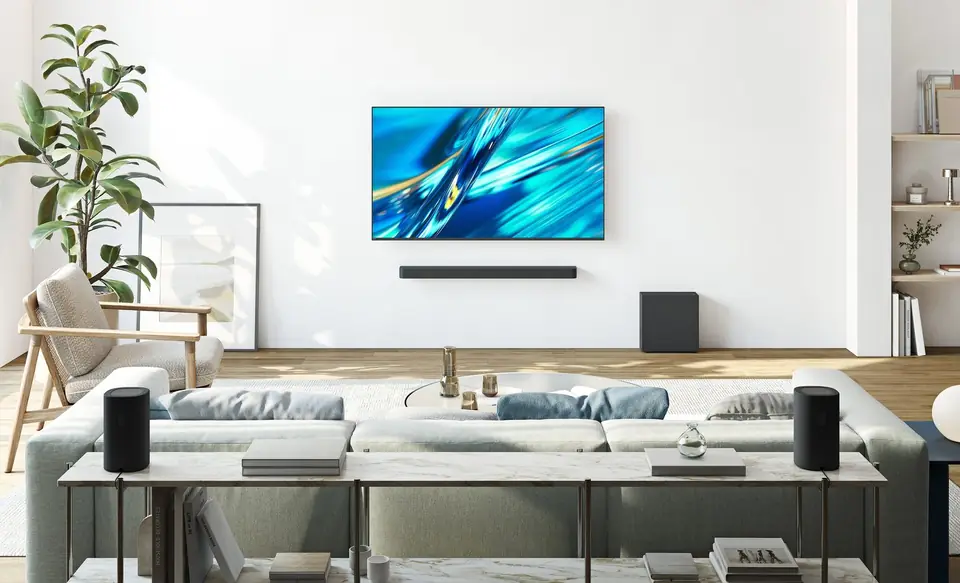 Buying guideYour TV's sound: do you need a soundbar?TVs have never been so slim, and that's exactly what hurts the sound. Muffled dialogue, missing bass: don't worry, there's a simple fix, and it doesn't necessarily cost much.2 min read
 Step by stepThe TV volume changes by itself: adverts too loud, films too quietThe advert shouts, the film whispers, and the remote never leaves your hand? This isn't a fault. The TV offers a setting that levels out the volume, plus a few options to check depending on your set-up.2 min read
 PracticalHDMI, eARC and TV connections: the guide to plugging everything in correctlyA console that won't output 120 Hz, a soundbar that won't play Dolby Atmos, a picture that cuts out: nine times out of ten, it's a matter of port or cable. Here's how to read the connections on a 2026 TV and plug everything in correctly.7 min read