
Your TV's sound: do you need a soundbar?
TVs have never been so slim, and that's exactly what hurts the sound. Muffled dialogue, missing bass: don't worry, there's a simple fix, and it doesn't necessarily cost much.
- A slim TV has small speakers : the advertised wattage matters little
- A soundbar mainly improves dialogue and bass
- Connect it via HDMI eARC for Dolby Atmos
- Same brand as the TV = bonus features (Q-Symphony, WOW Orchestra…)
Why TVs sound worse than they used to
An OLED TV can be less than 3 cm thick. There's no room for large speakers or a resonance chamber: bass is lacking, and voices get lost in music and effects. Manufacturers compensate with digital processing and speakers firing upwards or backwards, but physics has its limits.
The watts quoted (20, 40, 70 W) say little about quality. What matters: the enclosure volume behind the speakers and the presence of a subwoofer.
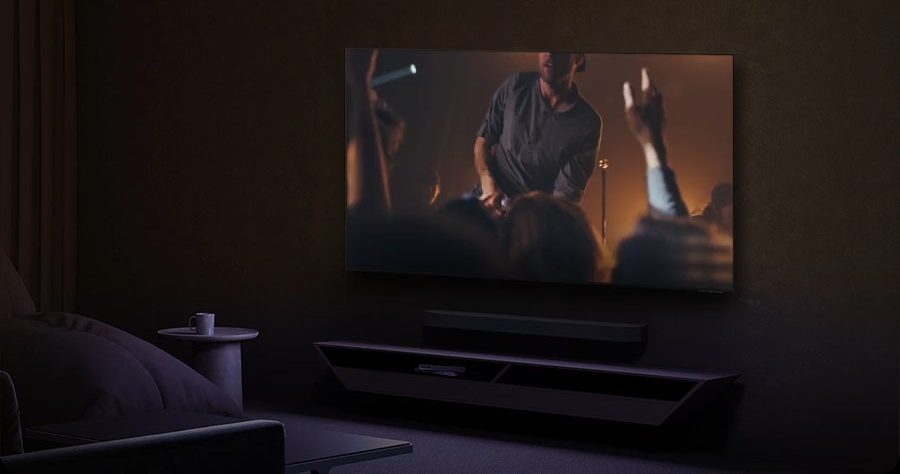
What a soundbar and a subwoofer change
- Clear dialogue thanks to a centre channel dedicated to voices.
- Deeper bass that add depth to films, music and games.
- A wider sound, even overhead with Dolby Atmos.
- More consistent volume : no more reaching for the remote between dialogue and action scenes (night mode).
Key terms
| Term | What it means |
|---|---|
| HDMI eARC | The HDMI port that sends TV sound (and anything connected to it) to the soundbar, in high definition and Dolby Atmos. One remote for everything. |
| Dolby Atmos | Three-dimensional sound, with effects coming from above. It needs upward-firing speakers for a true effect. |
| DTS:X | Dolby Atmos's rival, mainly found on Blu-rays. Not supported by every TV: check whether you're a Blu-ray fan. |
| 2.1, 3.1, 5.1.2 | The number of channels. Example: 3.1.2 = left, centre, right + subwoofer + 2 upward-firing speakers. |
| Subwoofer | A separate unit for low frequencies. Often wireless: just plug it into a power socket. |
Bonus features when the soundbar and TV are from the same brand
| Brand | Feature | What it does |
|---|---|---|
| Samsung | Q-Symphony | The TV and soundbar speakers play together for more immersive sound. |
| LG | WOW Orchestra | Same principle: the TV and soundbar share the work. |
| Sony | Acoustic Center Sync | The TV becomes the centre channel: voices come from the screen. |
| Philips | Ambilight + Fidelio | Philips soundbars that extend the Ambilight. |
For everyday TV and news, a 3.1 soundbar with a subwoofer is enough. For films and series, step up to a 3.1.2 or 5.1.2 Dolby Atmos system. And if someone at home struggles to hear dialogue, this is the first accessory I recommend, even before buying a pricier TV.
How to connect it properly
- Connect the soundbar to the HDMI eARC TV's socket (using a recent HDMI cable).
- Plug your devices (console, box, player) into the TV, not the soundbar.
- In the TV's sound settings, choose the output HDMI eARC and the format Car or Passthrough.
- Turn on HDMI-CEC (Anynet+ on Samsung, Simplink on LG, Bravia Sync on Sony, EasyLink on Philips) to control the volume with the TV remote.
Soundbars and home cinema packages are in our Home cinema.
Frequently asked questions
Can I connect a soundbar from a different brand?
Yes, all HDMI eARC soundbars work with all recent TVs, and the TV remote controls the volume. The bonus features (combined TV and soundbar sound), however, require the same brand.
eARC or optical?
eARC (HDMI), without hesitation: it carries Dolby Atmos and high-definition audio, and lets you control everything with a single remote. Optical is limited to compressed sound.
What are 3.1.2 or 5.1.2?
The first number counts the front and surround channels (left, centre, right, rear), the second the subwoofer, and the third the upward-firing speakers for Dolby Atmos.
Is a soundbar to hear voices better useful for an elderly person?
Very useful. Choose a model with a real centre channel and a "Voice" or "Dialogue" mode. The difference is immediate.
Come and compare the screens in person
At our Temploux shop, we switch on TVs side by side with your content. Or ask our expert salesperson online, right now.
Read next
 Buying guideChoosing the right TV in 2026: the complete guideOLED, Mini LED, RGB, 120 Hz, Dolby Vision… Choosing a TV has never offered so much, or been so confusing. Here's our sales team's method, in six questions, to find the TV that really suits you.3 min read
 Buying guideWhich TV for gaming on PS5, Xbox or PC?A next-gen console deserves a TV to match. Good news: in 2026 you no longer need to go high-end to game in 4K 120 Hz. Here's what really matters, and what's just marketing.3 min read
 PracticalInstalling and setting up your new TV properlyA poorly set-up TV can lose half its quality. Good news: ten minutes is enough to get it right, and we show you exactly what to adjust.3 min read