
Protecting your OLED TV from burn-in: the right settings
Burn-in is a static image that stays printed on the screen. Recent OLED TVs are very well protected, provided you let their protections do their job. Here's what you need to know, without panic.
- Burn-in comes from an image static displayed for a very long time
- OLED 2026 models come with automatic protections : keep them switched on
- Leave the TV in standby so it can carry out its maintenance
- Vary your programmes and lower the brightness of logos
What is burn-in?
Each pixel on an OLED TV produces its own light and wears slightly with use. If the same element stays on screen for hours every day (a news channel logo, a game interface, a stock ticker), those pixels wear faster than the rest and a shadow can appear. With varied viewing (films, series, sport, different games), the risk is very low.
The protections to keep switched on
- Pixel shift (Pixel Shift): the picture moves imperceptibly so the same pixels aren't always being driven.
- Logo dimming : the TV detects static elements and dims them.
- Pixel refresh : an automatic maintenance cycle that runs when the TV is in standby, after several hours of use.
- The screensaver when the picture stays static (paused menu, idle console).
Good habits
- Switch off with the remote, not at the wall: the TV needs to be in standby to carry out its maintenance.
- Don't start a manual pixel refresh without good reason: it is done automatically.
- Avoid maximum brightness all the time for everyday viewing.
- For a news channel left on all day, choose a Mini LED TV, which is not susceptible to burn-in.
Long gaming sessions are fine if you vary your games. Turn on game interface dimming if your TV offers it, and let the screensaver kick in when you take a break.
Our OLED TVs
 TV OLED LG OLED42C64LA€1,120.00
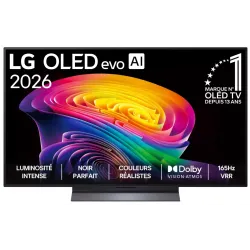 OLED TV LG OLED55C64LA€1,438.00
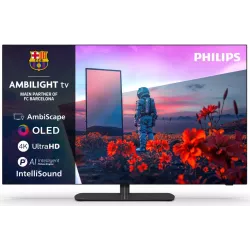 OLED TV PHILIPS 42OLED811/12€1,262.00
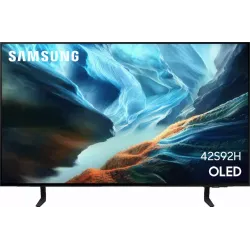 OLED TV SAMSUNG TQ42S92H€1,048.00
 QLED TV TCL 65C89L€1,799.00
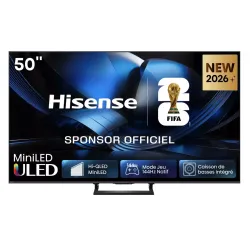 Mini LED TV HISENSE 50U7SE€595.00
 OLED TV SONY K55A65PB€1,193.00
 TV QLED SAMSUNG TQ65QN80H€961.00
Frequently asked questions
Is burn-in covered by the warranty?
It depends on the brand. Some cover burn-in for several years on their recent OLEDs. We will tell you each brand's policy in store.
A ghost image that fades within a few minutes, is that burn-in?
No, it is temporary image retention, nothing serious. It fades on its own or after the automatic maintenance.
Is OLED not recommended for watching the news?
For a few hours a day, no. For a news channel left on from morning till night, a Mini LED is more suitable.
Come and compare the screens in person
At our Temploux shop, we switch on TVs side by side with your content. Or ask our expert salesperson online, right now.
Read next
 TechnologyOLED explained simply (WOLED, QD-OLED, Tandem)Perfect blacks, infinite contrast, a picture that still looks great from the side: OLED is a dream. But how does it work, what's the difference between WOLED and QD-OLED, and what about the famous burn-in: myth or reality? We tell you everything.3 min read
 Comparison2026 OLED comparison: LG, Samsung, Sony or Philips?Ten OLED series are competing for your living room in 2026, from €1,199.99 to over €5,000. They all have perfect blacks; what sets them apart is brightness, anti-reflection, HDR format, gaming, sound and system. Here's our full comparison, with store prices and a clear verdict for each type of viewer.7 min read
 ComparisonOLED, Mini LED or RGB Mini LED: which to choose?It's the question everyone asks in front of the TV aisle. There's no outright winner: there's the technology that suits your living room and your habits. Here's our comparison, criterion by criterion, and our clear verdict.2 min read