
Watching football and F1: the right settings and the live broadcast delay
The ball leaving a trail, the picture judders on a pan, the neighbour shouting 'goal' before you do: sport puts a TV to the test. Here are the settings that help, and why your live broadcast is running late.
- Create a Sport mode separate, with a little motion smoothing
- The native 100/120Hz refresh rate makes the real difference
- The live delay depends on the source: aerial, set-top box or app
- Theaerial and the set-top box are faster than apps
Picture settings for sport
- Start from Sport mode or Standard, rather than Cinema mode, which is too muted for a bright room.
- Turn on light motion smoothing (TruMotion, Auto Motion Plus, Motionflow, MEMC). For sport, it makes the ball and camera pans sharper. Avoid the maximum setting, which creates artefacts around players.
- Lower noise reduction : it can make the pitch look ‘plastic'.
- Adjust the sound to Stadium or Sport mode if your TV offers it, for the crowd atmosphere.
Why your live feed is delayed
Between the stadium and your living room, the picture is compressed, sent and then decoded. Each step adds a little delay. The order is almost always the same:
| Source | Typical delay |
|---|---|
| Aerial (terrestrial TV) or satellite | The lowest: a few seconds |
| Operator's set-top box | A few seconds more |
| Streaming app | Up to 30 seconds or more |
If you also follow the match on your phone, or your neighbours cheer before you do, that's normal. For the fastest live feed, choose the aerial or set-top box over an app.
For sport, a panel native 100/120Hz really changes the smoothness. It's the first thing to check if you watch a lot of matches.
100/120Hz TVs for sport
 TV OLED LG OLED42C64LA€1,120.00
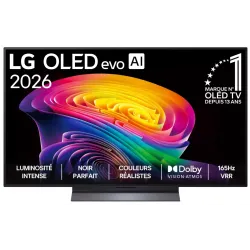 OLED TV LG OLED55C64LA€1,438.00
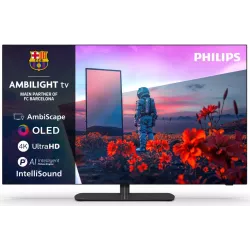 OLED TV PHILIPS 42OLED811/12€1,262.00
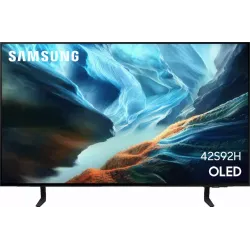 OLED TV SAMSUNG TQ42S92H€1,048.00
 QLED TV TCL 65C89L€1,799.00
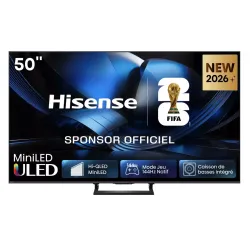 Mini LED TV HISENSE 50U7SE€595.00
 OLED TV SONY K55A65PB€1,193.00
 TV QLED SAMSUNG TQ65QN80H€961.00
Frequently asked questions
Is Sport mode too garish?
Often a bit. Keep its base, then turn the colour and sharpness down a notch or two for a more natural look.
Why does the ball leave a trail?
It's motion blur from slow panels. Light motion smoothing or a 100/120Hz panel reduce it considerably.
Can you reduce an app's delay?
Not really, it depends on the platform. At the very least, turn off phone notifications during the match.
Come and compare the screens in person
At our Temploux shop, we switch on TVs side by side with your content. Or ask our expert salesperson online, right now.
Read next
 Technology50, 100, 120 or 165 Hz: TV refresh rate explained100 Hz, 120 Hz, 165 Hz, and even 'Motion Rate 400': refresh rate is the most misunderstood figure on a spec sheet. Here's what it really changes for sport, films and gaming, and how to avoid the traps of European spec sheets.6 min read
 PracticalGetting TV in Belgium in 2026: aerial, set-top box, apps or satelliteAerial, set-top box, app or satellite dish: in Belgium there are several ways to watch TV, and they don't all work with every television. Here's the full picture as of October 2026, to help you choose the right solution and the right TV.5 min read
 Step by stepThe 5 settings to switch off on a new TVA TV leaves the factory set to dazzle in the shop, not in your living room. Five options switched on by default spoil films: smoothed motion, garish colours, lost detail. Switching them off takes five minutes and costs nothing.2 min read