
The 5 settings to switch off on a new TV
A TV leaves the factory set to dazzle in the shop, not in your living room. Five options switched on by default spoil films: smoothed motion, garish colours, lost detail. Switching them off takes five minutes and costs nothing.
- Turn off the motion smoothing for films and series
- Switch off the energy saving mode which darkens the picture
- Reduce the sharpness and the noise reduction
- Choose the mode Cinema or Filmmaker rather than Vivid
Why these settings are switched on
In shops, TVs sit side by side under very bright strip lights. To catch the eye, manufacturers push brightness, colours and sharpness. At home, this 'shop window' mode makes the picture tiring and spoils films. Here are the five settings that matter most.
- Motion smoothing. It invents frames between the real ones to make motion look smoother. On a film, this gives the 'soap opera' effect: everything looks shot on a camcorder. Switch it off for films and series, and perhaps keep it for sport. Its name: TruMotion (LG), Auto Motion Plus or Picture Clarity (Samsung), Motionflow (Sony), Perfect Natural Motion (Philips), MEMC (TCL, Hisense).
- Energy saving mode. It lowers the brightness and adjusts it according to the room's light. The picture becomes dull, especially in HDR. Switch it off, or keep only the ambient light sensor if you watch TV in daylight.
- Sharpness turned up. Above a low level, it adds white outlines around objects and noise on plain areas. Lower it to 0 or close to it: on a 4K source, the picture loses nothing.
- Noise reduction. Useful on an old, badly compressed channel, it wipes out skin texture and fine detail on a good film. Set it to Off or Low.
- Vivid or Dynamic picture mode. Oversaturated colours, bluish whites: that's the shop mode. Choose Cinema, Filmmaker or Calibrated for films, and Standard if the room is very bright.
Cinema mode uses a 'warm' colour temperature, close to that of films. Your eyes are used to the blue of shop mode: give them two or three days and you won't want to go back.
Should you switch everything off?
No. Motion smoothing set to low can help with football or F1, and noise reduction is still worthwhile on old programmes. The idea is to choose one mode per use: one for films, one for sport, and Game mode for the console.
For the detailed menus of your brand, see our LG, Samsung, Sony, Philips, TCL and Hisense settings pages.
Our favourite TVs for home cinema
 TV OLED LG OLED42C64LA€1,120.00
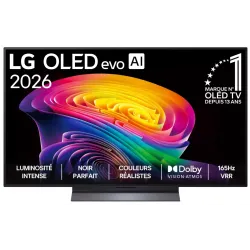 OLED TV LG OLED55C64LA€1,438.00
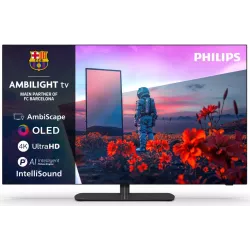 OLED TV PHILIPS 42OLED811/12€1,262.00
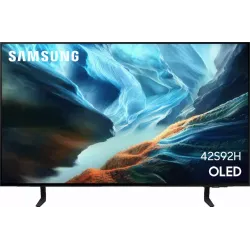 OLED TV SAMSUNG TQ42S92H€1,048.00
 QLED TV TCL 65C89L€1,799.00
 Mini LED TV HISENSE 50U7SE€595.00
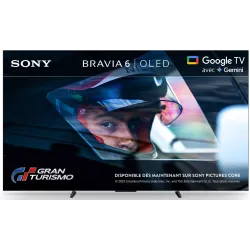 OLED TV SONY K55A65PB€1,193.00
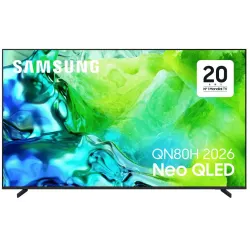 TV QLED SAMSUNG TQ65QN80H€961.00
Frequently asked questions
Do these settings damage the TV?
No, they are just image processing. Switching them off or on doesn't affect the TV's lifespan.
Why does the picture look darker afterwards?
Shop mode pushes brightness to the maximum. Cinema mode is more accurate. If the room is bright, raise the brightness of cinema mode rather than going back to Vivid.
Do I need to redo these settings for each source?
On many TVs, settings apply per input (HDMI 1, HDMI 2, apps). Check them once on each source you use.
Come and compare the screens in person
At our Temploux shop, we switch on TVs side by side with your content. Or ask our expert salesperson online, right now.
Read next
 PracticalInstalling and setting up your new TV properlyA poorly set-up TV can lose half its quality. Good news: ten minutes is enough to get it right, and we show you exactly what to adjust.3 min read
 The expert's adviceFilmmaker mode and cinema modes: watching a film as the director intendedYour TV hides a mode designed with Hollywood directors. It switches off all the processing that distorts the picture and respects the colours, frame rate and lighting intended by the film's team. Here's what it's for and how to turn it on.2 min read
 Step by stepPicture too dark or blacks looking grey: the real solutionsIn night scenes you can't see a thing, or on the contrary the blacks look like washed-out grey? These two faults almost always come from settings, not a breakdown. Here's how to fix them.2 min read