
Picture too dark or blacks looking grey: the real solutions
In night scenes you can't see a thing, or on the contrary the blacks look like washed-out grey? These two faults almost always come from settings, not a breakdown. Here's how to fix them.
- Picture too dark: switch off the eco mode and the light sensor
- Adjust the brightness (screen light) before contrast
- Grey blacks: check the HDMI range (limited or full)
- A very bright room makes blacks look grey on any TV
If the picture is too dark
- Switch off energy saving mode and, if the picture dims in the evening, the ambient light sensor. These are the two most common causes.
- Raise the screen light. Depending on the brand, this setting is called Backlight, OLED Brightness or Brightness. It's the one that makes the picture brighter.
- Adjust the 'Brightness' setting with care. On many TVs, it actually sets the black level. Too low, and dark details disappear; too high, and blacks turn grey. Leave it in the middle (often 50).
- In HDR, switch on dynamic tone mapping (Dynamic tone mapping, HDR Tone Mapping, Dynamic Tone Mapping). It brightens overly dark HDR films on less bright TVs.
- Try the gamma : switch from 2.4 to 2.2 (or from 'Dark' to 'Medium') to brighten dark areas without washing out the rest.
If the blacks are grey
- HDMI range. The console, the box and the TV need to speak the same 'language': limited (video) or full (PC) range. If they don't agree, the blacks turn grey. Leave the console and the TV on Automatic ; otherwise, set both to the same value.
- The black level. The 'Brightness' or 'Black Level' setting may be too high. Lower it until blacks are black without losing dark detail.
- The room's light. An LED screen in a very bright room will always look a little grey. OLED TVs OLED and Mini LED give much deeper blacks.
Pause a night scene with a starry sky. The stars should stay visible and the sky should be black, not grey. Adjust the black level until you find that balance.
TVs with deep blacks
 TV OLED LG OLED42C64LA€1,120.00
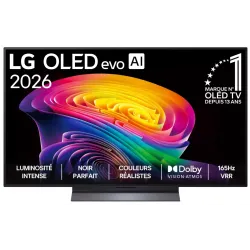 OLED TV LG OLED55C64LA€1,438.00
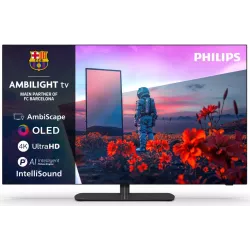 OLED TV PHILIPS 42OLED811/12€1,262.00
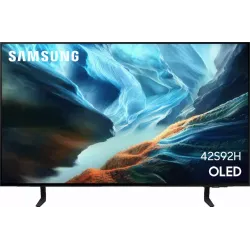 OLED TV SAMSUNG TQ42S92H€1,048.00
 QLED TV TCL 65C89L€1,799.00
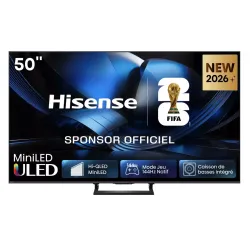 Mini LED TV HISENSE 50U7SE€595.00
 OLED TV SONY K55A65PB€1,193.00
 TV QLED SAMSUNG TQ65QN80H€961.00
Frequently asked questions
My OLED TV dims by itself: is that normal?
Yes, if a static image stays on screen for a long time: OLED lowers its brightness to protect itself. It's not a fault.
Why do only some films look too dark?
HDR films are mastered for very bright screens. The TV's dynamic tone mapping helps adapt them.
My blacks are grey only on the console: why?
It's almost always the HDMI range, which isn't the same on the console and the TV. Set both to automatic.
Come and compare the screens in person
At our Temploux shop, we switch on TVs side by side with your content. Or ask our expert salesperson online, right now.
Read next
 Step by stepThe 5 settings to switch off on a new TVA TV leaves the factory set to dazzle in the shop, not in your living room. Five options switched on by default spoil films: smoothed motion, garish colours, lost detail. Switching them off takes five minutes and costs nothing.2 min read
 Step by stepYour TV shows HDR but the picture looks dull: the 3 settings for real HDRThe HDR logo appears, yet the picture looks flatter than SDR? This is a very common problem. It comes from a badly set HDMI port, an overly restrained picture mode, or a TV lacking brightness. Here's how to get the true HDR result.2 min read
 TechnologyOLED explained simply (WOLED, QD-OLED, Tandem)Perfect blacks, infinite contrast, a picture that still looks great from the side: OLED is a dream. But how does it work, what's the difference between WOLED and QD-OLED, and what about the famous burn-in: myth or reality? We tell you everything.3 min read