
Your TV shows HDR but the picture looks dull: the 3 settings for real HDR
The HDR logo appears, yet the picture looks flatter than SDR? This is a very common problem. It comes from a badly set HDMI port, an overly restrained picture mode, or a TV lacking brightness. Here's how to get the true HDR result.
- Turn on enhanced HDMI mode on the source port
- Turn off the eco mode and push the screen brightness to maximum in HDR
- Turn on dynamic tone mapping
- A dim TV shows HDR, but only reproduces part of it
Why HDR can disappoint
An HDR film contains much stronger light information than a standard film: sunlight reflections, neon signs, explosions. To show them, the TV must be capable of a lot of brightness. If it can't manage this, it ‘compresses' the image and the result looks darker and less contrasty than SDR. The good news: three settings fix most cases.
- The HDMI port in enhanced mode. For a set-top box, a console or a Blu-ray player, the port must be set to enhanced mode, otherwise HDR may be limited. The name varies by brand: Signal d'entrée plus (Samsung), HDMI Deep Colour (LG), Format amélioré (Sony), HDMI Ultra HD (Philips). Built-in apps are not affected.
- All the light in HDR. In HDR, the TV switches to a separate picture mode. In this mode, turn off energy saving and set the screen light (backlight, OLED brightness) to maximum. This is intended: HDR needs all the available light.
- Dynamic tone mapping. It adapts each scene to what your TV can do. Turn it on: Mappage tonal dynamique (LG), HDR Tone Mapping (Samsung), Dynamic Tone Mapping (TCL, Hisense, Philips).
How to check that HDR is really active
A small HDR, HDR10+ or Dolby Vision logo often appears at the top of the screen at the start of the film. The Info button on the remote also shows the format received. On a console, the HDR calibration screen should appear in the video settings.
An entry-level TV may accept HDR without having the brightness to show it. For spectacular HDR, aim for a Mini LED or OLED recent TV. Come and compare in store with the same film.
Really bright TVs for HDR
 TV OLED LG OLED42C64LA€1,120.00
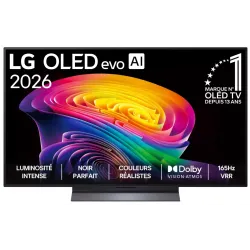 OLED TV LG OLED55C64LA€1,438.00
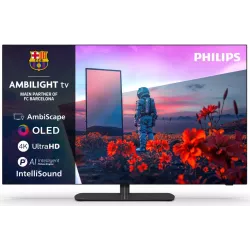 OLED TV PHILIPS 42OLED811/12€1,262.00
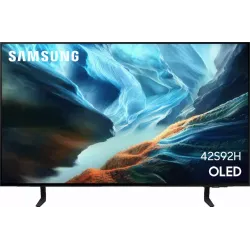 OLED TV SAMSUNG TQ42S92H€1,048.00
 QLED TV TCL 65C89L€1,799.00
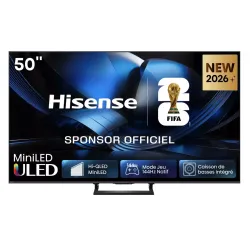 Mini LED TV HISENSE 50U7SE€595.00
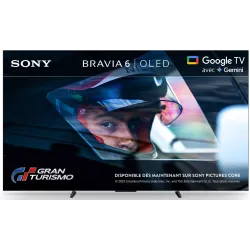 OLED TV SONY K55A65PB€1,193.00
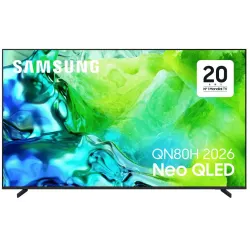 TV QLED SAMSUNG TQ65QN80H€961.00
Frequently asked questions
Why is HDR darker than SDR?
HDR keeps the light for very bright areas and leaves the rest at a realistic level. On a dim TV, the whole picture looks darker. Dynamic tone mapping partly compensates.
Dolby Vision or HDR10+: which should I choose?
Both adapt the picture scene by scene. Netflix and Disney+ mainly use Dolby Vision, Prime Video uses HDR10+. Ideally, choose a TV that supports both.
Should I turn on HDR on the console?
Yes, then run the console's HDR calibration. It adjusts the light levels to your TV.
Come and compare the screens in person
At our Temploux shop, we switch on TVs side by side with your content. Or ask our expert salesperson online, right now.
Read next
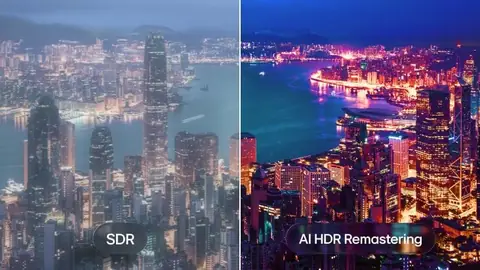 TechnologyHDR, Dolby Vision, HDR10+: what really changesHDR is what makes the difference between a 'clean' picture and one that really dazzles. But with all the logos, it's easy to get lost. We sort it out for you.3 min read
 Step by stepPicture too dark or blacks looking grey: the real solutionsIn night scenes you can't see a thing, or on the contrary the blacks look like washed-out grey? These two faults almost always come from settings, not a breakdown. Here's how to fix them.2 min read
 Step by stepPS5: the 4 settings to truly get the most from your TVIs your PS5 running, but not at full power? Plugged into the wrong port and left on factory settings, it throttles itself. Here are the four settings to change, step by step, for Sony, Samsung, LG and Philips.2 min read