
TVs for PS5 and Xbox: 10 questions, 10 short answers
HDMI 2.1, 120 Hz, VRR, ALLM, input lag: what you really need to game on PS5, Xbox Series X or PC, explained simply by our sales staff.
- Essential: HDMI 2.1 + 120 Hz
- Very useful: VRR and ALLM
- Input lag: under 10 ms in game mode
- 144 Hz: for PC only
Short answer: A TV with HDMI 2.1, 120 Hz and VRR: an LG C-series OLED, Samsung S90 or Sony, or a recent TCL/Hisense Mini LED. Then apply our 4 PS5 settings.
Each question has a detailed answer here, then a short answer in the FAQ at the bottom of the page. They are written by the Nimestore team in Temploux (Namur), based on what our customers ask us.
The answers in detail
Which TV should you buy for a PS5?
For the PS5, if useful, prioritise a 4K 120 Hz TV with VRR, ALLM and low latency on compatible ports; check the model's specifications.
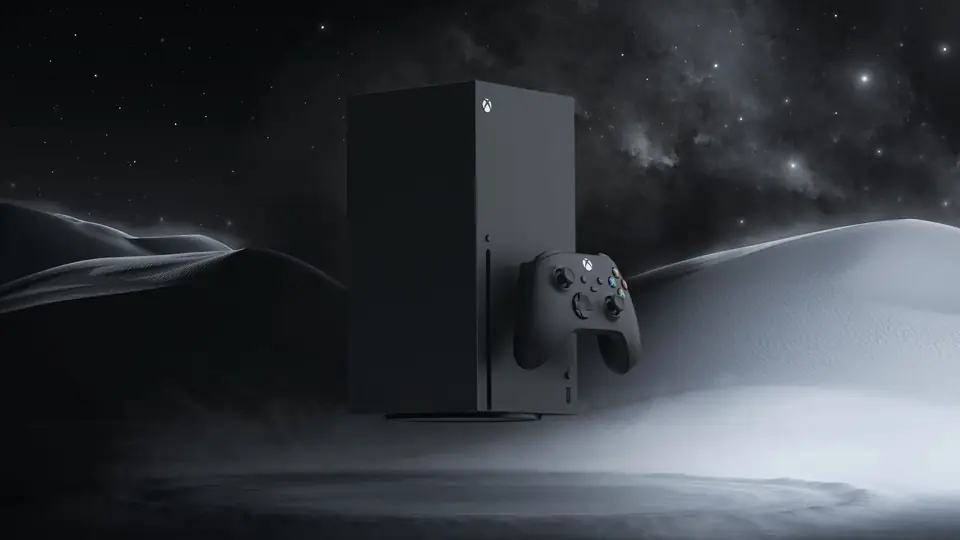
Which TV is best for Xbox Series X?
For Xbox Series X, check compatibility with 4K 120 Hz, VRR, ALLM and HDR formats; the advertised features vary by port and game.
Is a 120 Hz TV absolutely necessary for gaming?
A 120 Hz TV isn't essential for everyone; it offers real benefits for high-frame-rate games and certain motion processing.
What does HDMI 2.1 mean on a TV?
HDMI 2.1 is a set of features, several of which remain optional: only the detailed specification sheet confirms 4K 120 Hz, VRR or eARC.
Are VRR and ALLM really useful?
VRR adjusts the display to the game's frame rate and reduces screen tearing; ALLM automatically switches to a low-latency mode when devices support it.
Which TV offers low input lag?
Input lag is measured in milliseconds; compare independent tests carried out in game mode and at the same resolution/refresh rate.
Which OLED TV is good for gaming without overspending?
An affordable gaming OLED TV should above all offer a true 120 Hz, VRR and an effective game mode, without compromising on brightness and warranty.
Is a 60 Hz TV enough for occasional gaming?
For occasional play at 60 fps, a good 60 Hz TV can be enough; 120 Hz features mainly appeal to demanding gamers.
Which 65-inch TV should you choose for PS5?
For a 65-inch PS5 TV, balance size, 4K 120 Hz, VRR, room brightness and budget; not all ranges offer the same HDMI inputs.
Are 144 Hz TVs worth the extra cost?
144 Hz is mainly worth the extra cost for a compatible PC; check that the option works at native resolution and with VRR.
What to check before you buy
The panel's refresh rate, the signal accepted by the HDMI port and the game's frame rate are three different things. Check which ports support 4K 120 Hz, that game mode activates, and how VRR and ALLM work.
To find out more
- Which TV for gaming on PS5, Xbox or PC?
- PS5: the 4 settings to truly get the most from your TV
- Setting up your TV for gaming: Game mode, VRR, 120 Hz, HDR and cables
- HDMI, eARC and TV connections: the guide to plugging everything in correctly
Official sources
- HDMI Licensing : what the HDMI 2.1 standard covers
- European Commission : rules and energy label for televisions
Don't see your question here? Visit the shop at Route de Saussin 62 in Temploux (Wednesday to Friday 10am-6pm, Saturday 10am-4pm), or call 02 393 04 02.
Updated on 5 November 2026. Prices, stock and services: the product page on the day of your order is the reference.
Frequently asked questions
Which TV should you buy for a PS5?
A TV with HDMI 2.1, 120 Hz and VRR : an LG C-series OLED, Samsung S90 or Sony, or a recent TCL/Hisense Mini LED. Then apply our 4 PS5 settings.
Which TV is best for Xbox Series X?
The same criteria as for PS5. The Xbox also supports Dolby Vision in games : LG OLEDs and some TCL/Hisense models benefit from this, not Samsung.
Is a 120 Hz TV absolutely necessary for gaming?
No for family gaming, yes for action and shooter games: 120Hz makes the image smoother and reduces input lag. Many PS5/Xbox games offer a 120 frames per second mode.
What does HDMI 2.1 mean on a TV?
It's the standard that enables 4K at 120Hz, VRR and ALLM. Check how many ports are HDMI 2.1: often 2 out of 4. See HDMI and connections.
Are VRR and ALLM really useful?
Yes. The VRR prevents screen tearing when the game slows down; theALLM switches the TV to game mode automatically when the console starts. Two free features that make a real difference to comfort.
Which TV offers low input lag?
LG and Samsung OLEDs and good Mini LEDs drop below 10 ms in game mode, which is imperceptible. Remember to turn on game mode: outside game mode, input lag can triple.
Which OLED TV is good for gaming without overspending?
A LG C of the previous year in 48 or 55 inches: HDMI 2.1 on all ports, 120Hz, VRR, Dolby Vision in gaming. It has been the gamers' benchmark for several years.
Is a 60 Hz TV enough for occasional gaming?
Yes for football, racing or family games at 60 frames per second. You just won't benefit from the 120Hz modes.
Which 65-inch TV should you choose for PS5?
A 65-inch OLED (LG C, Samsung S90) for picture quality, or a 65-inch 144Hz Mini LED (TCL, Hisense) for value and brightness. Both have HDMI 2.1 and VRR.
Are 144 Hz TVs worth the extra cost?
For a gaming PC, yes. For a console, no: PS5 and Xbox top out at 120Hz.
Come and compare the screens in person
At our Temploux shop, we switch on TVs side by side with your content. Or ask our expert salesperson online, right now.
Read next
 Buying guideWhich TV for gaming on PS5, Xbox or PC?A next-gen console deserves a TV to match. Good news: in 2026 you no longer need to go high-end to game in 4K 120 Hz. Here's what really matters, and what's just marketing.3 min readStep by stepPS5: the 4 settings to truly get the most from your TVIs your PS5 running, but not at full power? Plugged into the wrong port and left on factory settings, it throttles itself. Here are the four settings to change, step by step, for Sony, Samsung, LG and Philips.2 min read
 CaseSetting up your TV for gaming: Game mode, VRR, 120 Hz, HDR and cablesA gaming TV set up badly plays worse than an average TV set up well. Here, in plain language, are the settings that really matter on the TV, the right cable, then the steps to follow on PS5, Xbox Series and Switch 2.7 min read