
Setting up your TCL TV well: picture, sound, gaming and Google TV
A well-adjusted TCL gains a great deal in naturalness. Factory settings favour brightness in-store; at home, a few minutes are enough for a more accurate picture. Here are our salesperson's settings, from picture mode to gaming, including Google TV and Belgian apps.
- Films: use Filmmaker or Cinema, not Vivid or Standard
- Turn off motion smoothing AI MotionMaster for films
- PS5 and Xbox: Game mode, VRR and ALLM, HDMI 2.1 ports
- Belgian apps on Google TV: yes, except Pickx
First of all: the initial setup
On first start-up, your TCL guides you through choosing your language, connecting to Wi-Fi and signing in with your Google account. According to TCL, a Google account and a TCL account (both free) are needed to make the most of all the smart features. You can install apps from your smartphone during setup: it's the quickest way.
Remember to run a software update as soon as setup is finished (see below), then adjust the picture. For the physical installation (height, wall mounting, cables), follow our guide installing and setting up your TV.
Menu names and locations may vary by model and software version. Generally, picture settings are under Settings, then Display & Sound (or Picture), or via the settings button on the remote.
The right picture modes
| Fashion | When to use it | Our verdict |
|---|---|---|
| Filmmaker | Films and series, evenings | Most faithful: automatically switches off the processing that distorts the picture |
| Cinema (or Film) | Films, in a dimly lit room | An excellent choice if Filmmaker isn't offered |
| Dolby Vision IQ / Dark / Bright | Dolby Vision content (Netflix, Disney+, Apple TV) | The TV switches automatically; IQ adapts the picture to the room's light |
| IMAX Enhanced | IMAX Enhanced content (on the C89L) | Switches on automatically with compatible content |
| Sport | Football, F1, during the day | Bright and smooth; a little too saturated for a film |
| Standard | Everyday TV, daytime | Decent, but the colours are a little cool |
| Vivid (Dynamic) | Store | Avoid at home: too blue, too saturated |
| Gaming | Consoles, PC | Reduces display lag; see the gaming section |
Les Numériques noted that the C89L's Game mode in SDR was poorly calibrated out of the box. If colours look wrong in games, lower the saturation a little and choose a colour temperature of 'Warm'.
Settings to switch off (or tone down)
- AI MotionMaster (motion interpolation): turn it off for films, otherwise you get the 'soap opera effect'. For sport, a low setting can help.
- Noise reduction : pointless on Netflix or Blu-ray, as it softens detail. Keep it for old, low-quality channels.
- Sharpness enhancement : keep it at minimum, otherwise you get artificial edges.
- Energy saving and light sensor : they can dim the picture. Switch them off if your screen looks dull during the day, or keep them on if energy use matters to you.
- 'AI' colour and contrast functions : try them with and without; in Filmmaker mode, most are already switched off.
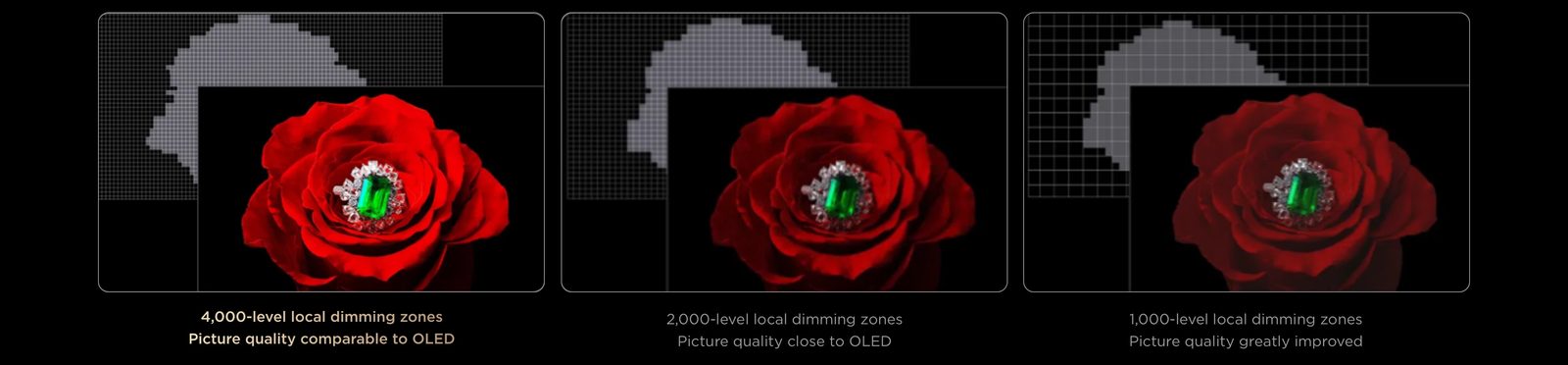
However, keep local dimming (local dimming) switched on, at a medium or high level: it's what gives the Mini LED its contrast. At too high a level, the halo around subtitles can become visible, so choose the level that suits you.
Sound
The C89L models have sound tuned by Bang & Olufsen (2.2 channels), the P89L have Onkyo 2.1 sound (except in the 55-inch), and the P79L has 2.0 sound. A few tips:
- Choose a mode Film or Dolby Atmos for films, Voice (or Dialogue) if you struggle to follow conversations.
- If the TV is wall-mounted, indicate this in the audio settings when the option is available: the sound is adjusted accordingly.
- With a sound bar, connect it to the HDMI port eARC, turn on HDMI control (CEC) and choose HDMI audio output. The TCL remote then adjusts the soundbar volume.
Everything on the subject in TV sound and soundbars.
Gaming: Game mode, VRR and ALLM
- Connect the console to an HDMI 2.1 port. The C89L has four, from 65 to 98 inches. On the P89L, TCL states that 288 Hz VRR runs through the HDMI 1 and 2.
- Turn onALLM (auto game mode): the TV switches to Game mode on its own when the console turns on.
- Turn on VRR (and FreeSync for a compatible PC) on both the TV and the console.
- On PS5 and Xbox, choose the output 4K 120 Hz in the console's video settings.
- Open the Game Bar to check the current refresh rate and VRR.
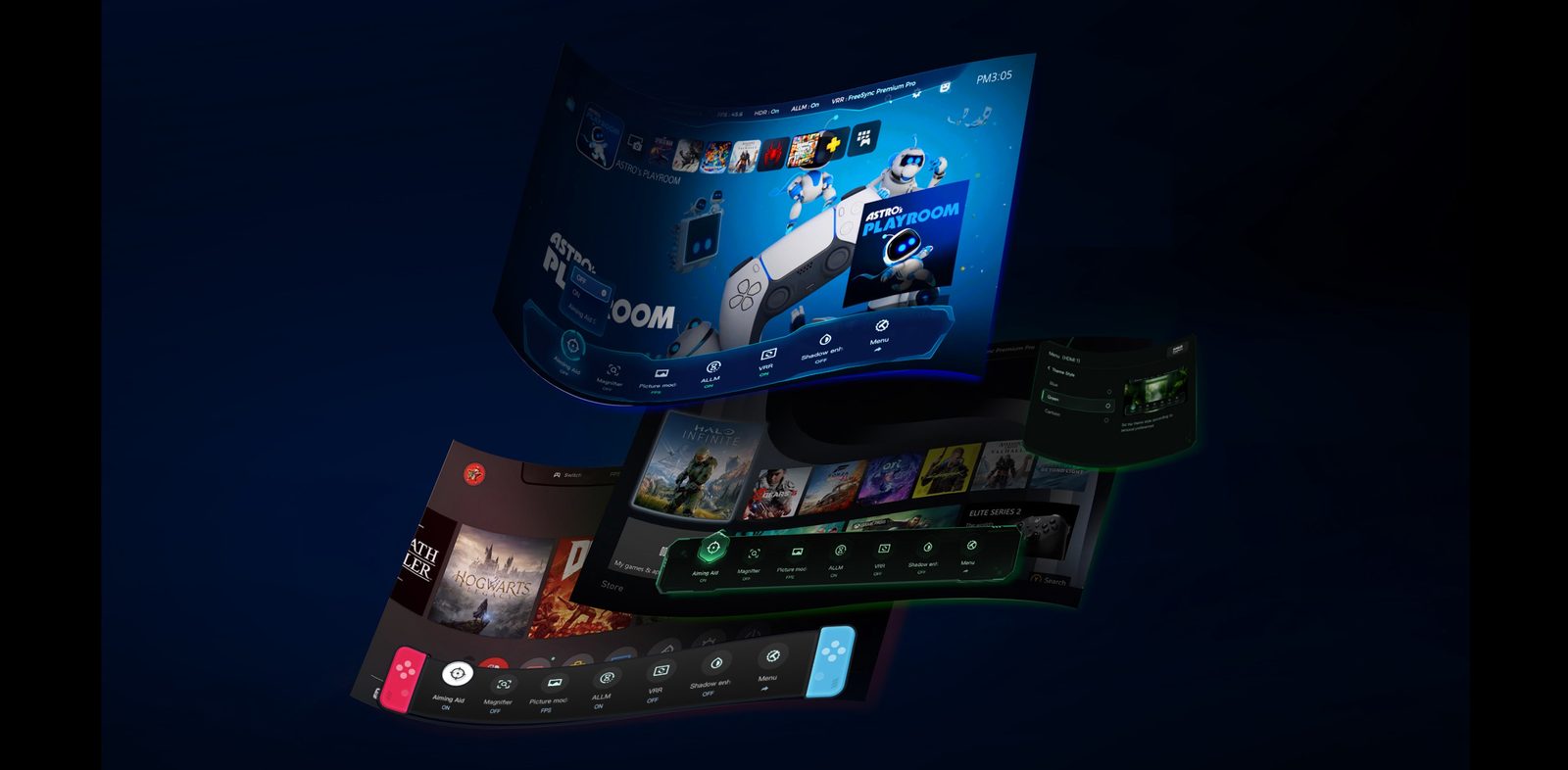
A gaming PC can reach 144 Hz in 4K, or 288 Hz at reduced resolution (DLG) on compatible models. More tips in gaming TV for PS5, Xbox and PC.
Google TV and Belgian apps
The Google TV home screen shows recommendations from all your services. You can simplify it with 'Apps only' mode in the account settings, if you prefer a home screen without suggestions.
| App | On a TCL Google TV |
|---|---|
| RTBF Auvio | Yes (Android TV 8.1 or later) |
| VRT MAX | Yes (Android TV 9 or later) |
| Play (formerly GoPlay) | Yes |
| Streamz, VTM GO | Yes |
| RTL Play | Yes (2018 models and newer) |
| Telenet TV | Yes (Android TV 10 or later) |
| VOO TV+, Orange TV Go | Yes |
| Proximus Pickx | No : Proximus set-top box, Apple TV or casting |
| Netflix, Disney+, Prime Video, YouTube, Apple TV | Yes |
Chromecast is built in: in a compatible app on your smartphone, tap the cast icon to send the video to the TV. For AirPlay (iPhone), support isn't announced across the whole range: check your model's spec sheet, or ask us. For everything about apps by platform, ask our expert salesperson.
Updates
In Settings, then Platform, About us and System update, you can check for new firmware. Keep the TV connected: apps update via the Play Store. TCL has not published an official update period. It's also through an update that the Dolby Vision 2 promised feature on the C89L.
: the TV updates in standby. You can also run a manual search from the same menu, for example if a service stops working.
- The mic (or Google Assistant) starts voice search. With Gemini, you can speak naturally: 'find me a recent comedy'.
- The settings opens a quick menu (picture mode, sound, timer) without leaving the programme.
- The C89L remote is backlit, handy in the dark.
- Dedicated buttons open Netflix, YouTube or Prime Video, depending on the model.
Screen care
TCLs are Mini LED and QLED : no risk of burn-in, so there's no compensation cycle to observe as on an OLED. You can leave news channel logos or a game's interface on screen without worry. For cleaning, switch the TV off and use a dry microfibre cloth, with no household cleaner or spray directly on the screen.
My express setting for a C89L: picture mode Filmmaker in the evening, picture mode Standard with high brightness during the day, AI MotionMaster off for films, local dimming on 'Medium'. Five minutes, and you'll rediscover your TV. If you'd like us to show you, pop into the store.
TCLs in store
 QLED TV TCL 65C89L€1,799.00
 QLED TV TCL 75C89L€1,615.00
 TCL 65C79L QLED TV€1,476.00
 LED TV TCL 75P89L€1,067.00
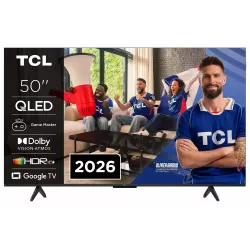 QLED TV TCL 50P79L€466.00
 TV QLED TCL 65P79L€799.00
A few hidden tips
- Ambience and art gallery mode : turn the screen into a painting or a fireplace when you're not watching TV.
- Sleep timer : ideal in a bedroom, in the quick menu.
- Google screensaver : display your Google Photos pictures when idle.
- Parental controls : create a child profile in Google TV to limit apps and screen time.
- Turn off ad tracking : in the privacy settings, you can switch off sharing of viewing data.
More answers in the FAQs on TCL.
Frequently asked questions
What is the best picture mode on a TCL TV?
For films and series, Filmmaker or Cinema mode, the most faithful to the original settings. For daytime sport, Sport or Standard mode with high brightness. Avoid Vivid mode, which is too saturated and bluish.
How do I turn on game mode on a TCL?
Connect the console to an HDMI 2.1 port and turn on ALLM: the TV switches to Game mode by itself when the console starts. Also check that VRR is enabled in the settings of both the TV and the console. The Game Bar shows the current refresh rate.
How do I update a TCL TV?
In the Google TV settings, go to System, then About and System update. Keep the TV connected to the internet: apps update via the Play Store, firmware via TCL.
My TCL picture has a 'soap opera' effect, what should I do?
It's motion interpolation, called AI MotionMaster by TCL. Turn it off or set it to minimum in the picture settings for films. You can keep it on for sport.
Can I watch Proximus Pickx on a TCL?
Not with an app installed on the TV: Pickx doesn't exist on retail TVs. Keep your Proximus decoder, or use casting from your smartphone.
Come and compare the screens in person
At our Temploux shop, we switch on TVs side by side with your content. Or ask our expert salesperson online, right now.
Read next
 PracticalInstalling and setting up your new TV properlyA poorly set-up TV can lose half its quality. Good news: ten minutes is enough to get it right, and we show you exactly what to adjust.3 min read
 Frequently asked questionsTCL TVs: our customers' frequently asked questionsWarranty, updates, model names that change by country, Belgian apps, soundbars, gaming or minor faults: here are the questions our customers ask us most often about TCL, with clear and honest answers.6 min read
 Buying guideWhich TV for gaming on PS5, Xbox or PC?A next-gen console deserves a TV to match. Good news: in 2026 you no longer need to go high-end to game in 4K 120 Hz. Here's what really matters, and what's just marketing.3 min read