
Philips technologies: Ambilight, AmbiScape, P5 AI and OLED explained
Ambilight, AmbiScape, P5 AI, Micro Dimming, Primary RGB Tandem: Philips loves technical names. Behind each one lies a very real function, sometimes very useful, sometimes mostly marketing. Here's what Philips technologies do in 2026, in plain language.
- Ambilight : LEDs behind the screen colour the wall
- AmbiScape : Ambilight also controls your smart bulbs
- Micro Dimming is not Mini LED
- Full glossary of Philips names at the end of the page
Ambilight: the Philips signature
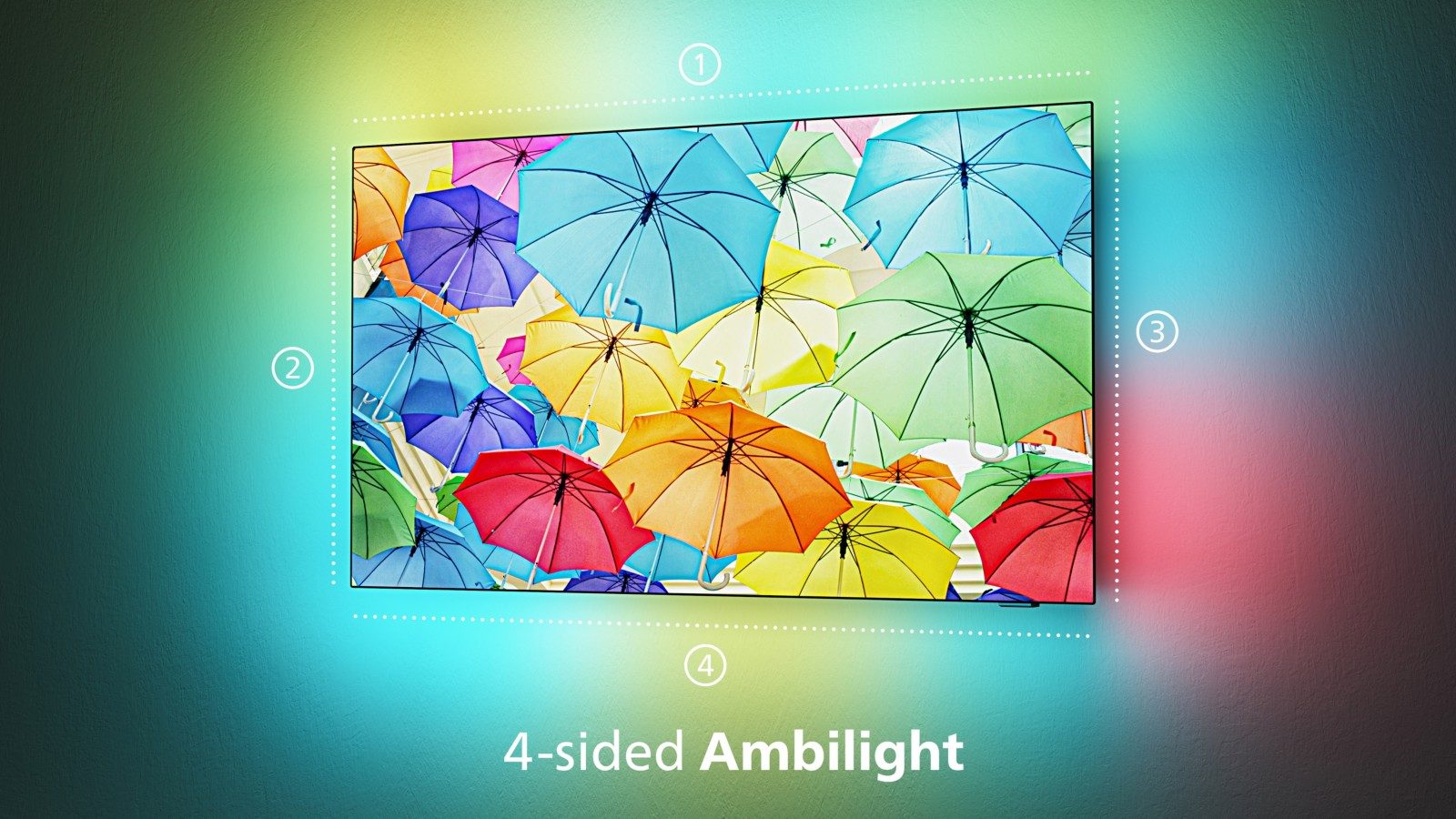
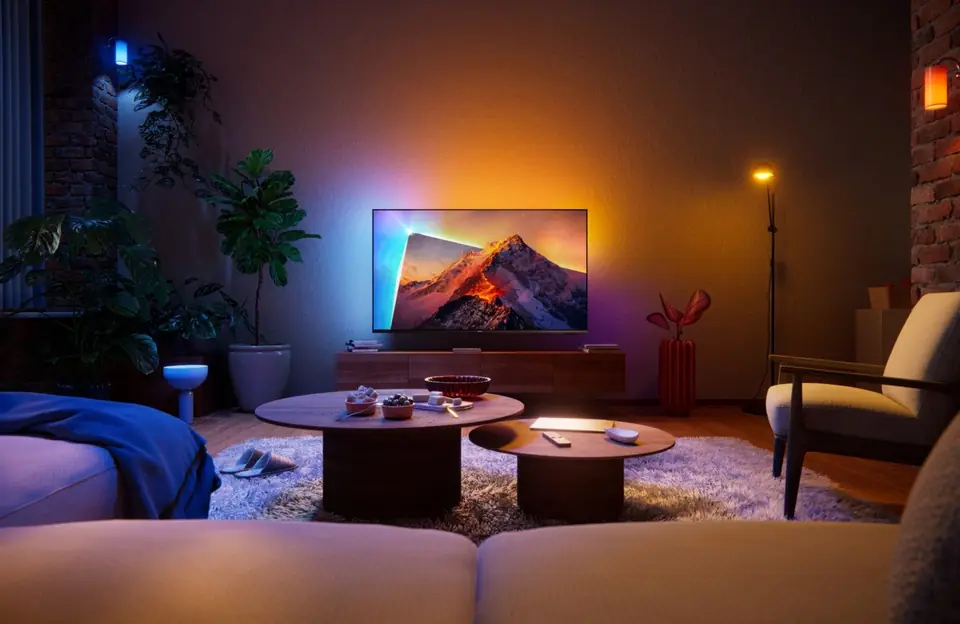
TheAmbilight is the technology that sets Philips apart from all other brands. LEDs are placed at the back of the TV. They continuously analyse the colours at the edge of the image and project them onto the wall in real time. When an orange explosion erupts on the left of the screen, the wall lights up orange on the left.
- Ambilight 3-sided (left, right, top): on most models, from the PQS6901 to the OLED811.
- Ambilight 4-sided (including the bottom): on the OLED+911 and 951. The effect is more enveloping, especially with a TV placed on a low unit.
- The modes : follow the video, follow the music, fixed colour or 'lounge' mood when the TV isn't showing anything.
- No Ambilight : the PQS7801 series and the small PHS and PFS models.
The benefits are concrete: the picture looks bigger, immersion is better, and eyes tire less in a dark room, as the contrast between the bright screen and the black wall is softened. For the best effect, you need a light, neutral wall behind the TV, a few centimetres to a few dozen centimetres from the screen.
The small PQS6901 add AmbiSleep, a light that gently dims to help you fall asleep, and a 'sunrise' wake-up: much appreciated in a bedroom.
AmbiScape: Ambilight across the whole room
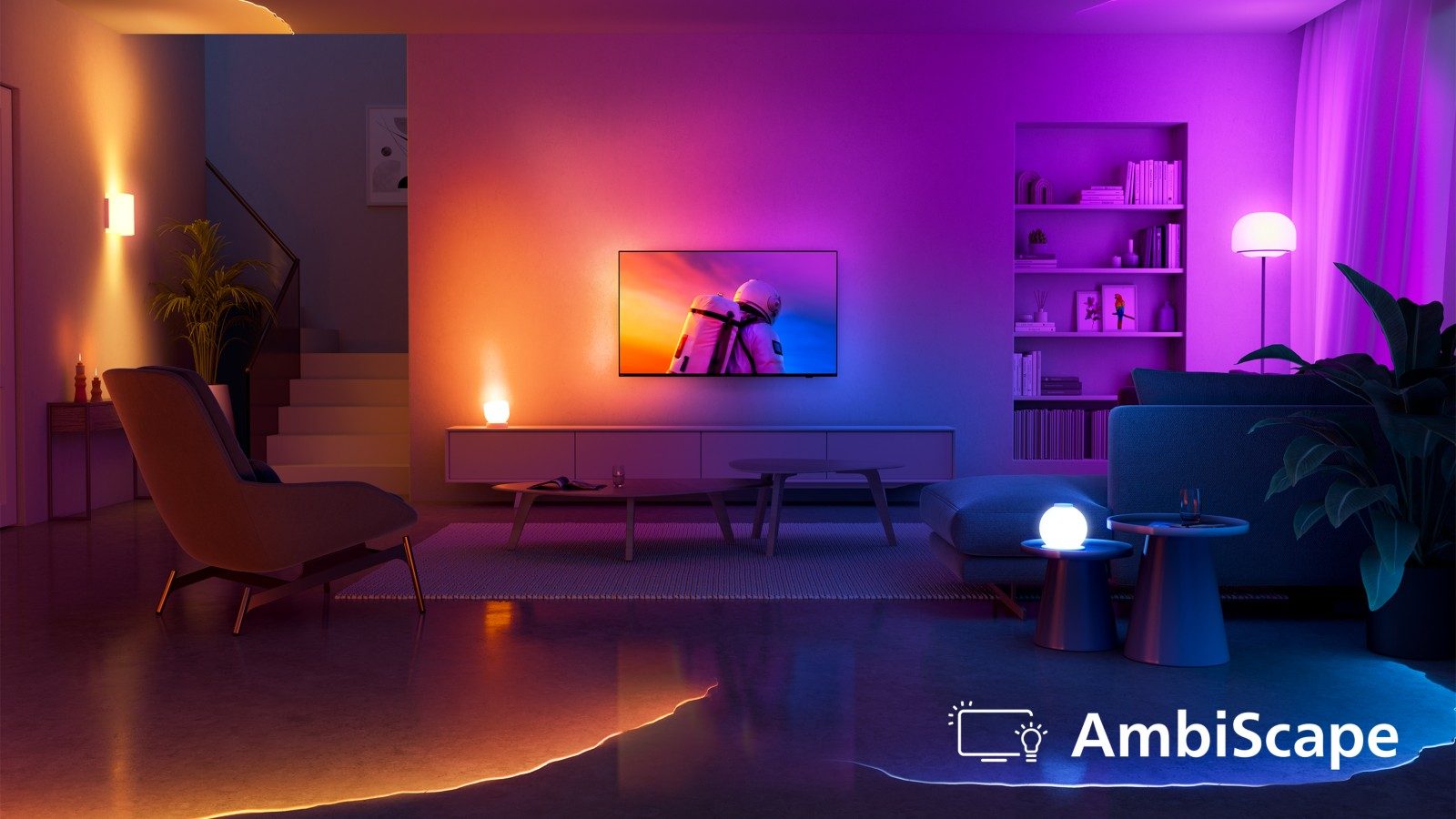
New for 2026, AmbiScape replaces the former 'Ambilight + Hue' feature, discontinued in 2023. The TV controls up to four smart bulbs (E27 base) placed in the room, which follow the colours of the picture with less than half a second's delay.
- It uses the Matter : it works with bulbs compatible with several brands (Philips Hue, WiZ, Nanoleaf, IKEA…).
- Pairing is done by scanning a QR code shown on screen.
- Models concerned : PQS8601, PQS9001, OLED761, OLED811/851, OLED+911 and 951, MLED981. Not on the PQS6901, nor on models from before 2026.
Philips 2026 panels
OLED EX (OLED811, OLED851)
LG Display's new-generation OLED panel. Each pixel produces its own light and switches off completely: perfect blacks, no halo, excellent viewing angles. Philips claims up to 2,500 nits peak brightness. That is a theoretical figure: in measurements, you get around 1,400 to 1,500 nits on small areas, which remains very bright for an OLED.
Primary RGB Tandem 2.0 (OLED+911, OLED+951)
An OLED panel with several layers of light, with red, green and blue produced separately. It gains in brightness, in colour richness at high light levels and in lifespan. It is Philips' best OLED panel in 2026.
QLED et Micro Dimming (PQS9001, PQS8601, PQS7801, PQS6901)
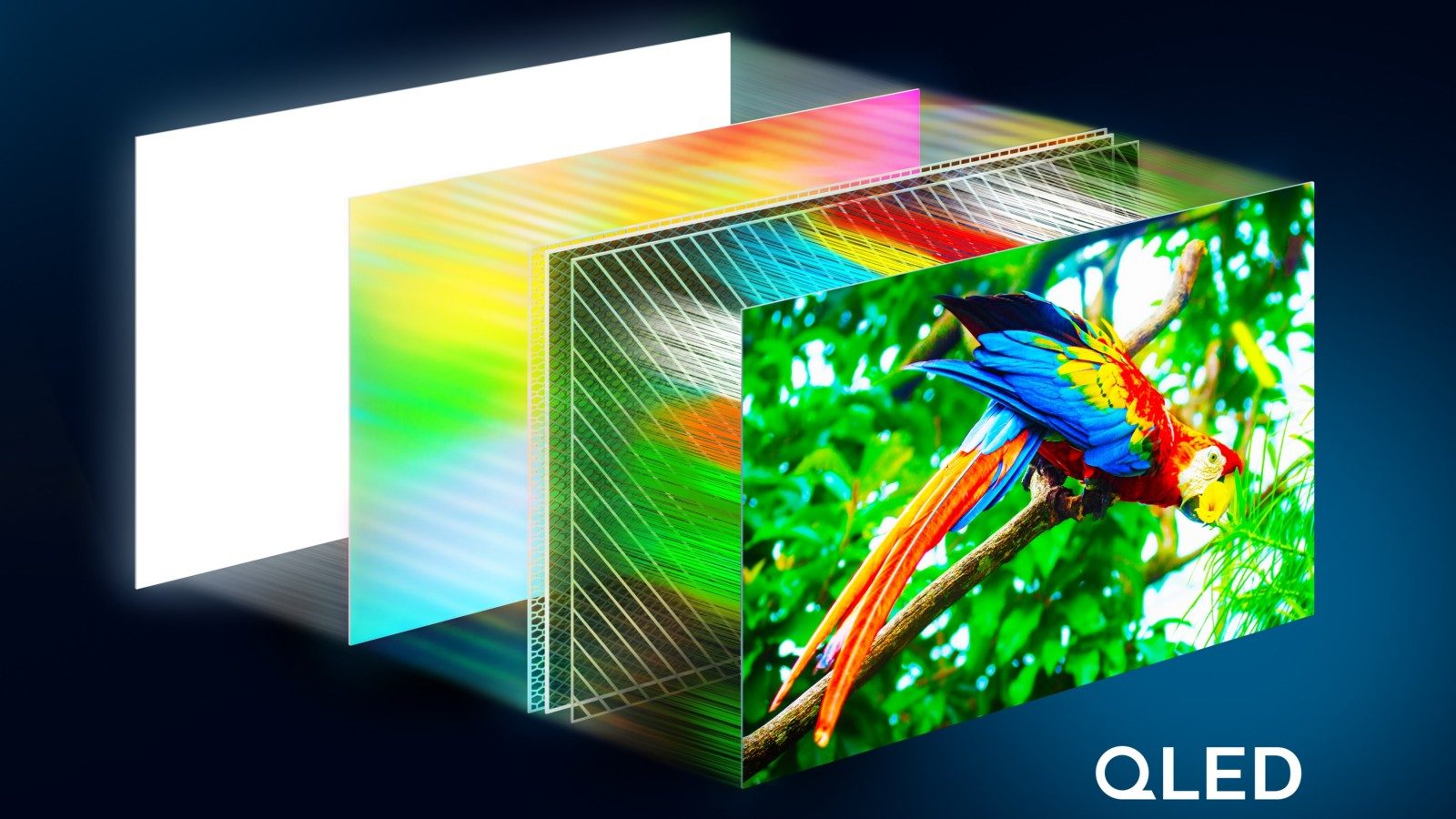
An LCD screen with a layer of quantum dots (quantum dots) that make colours more vivid than a standard LED. The Micro Dimming (or Micro Dimming Pro) is a software processing that adjusts contrast by zone across the picture. It is not Mini LED : the backlight does not switch off zone by zone, and blacks remain greyish in a dark room.
RGB Mini LED (MLED981) et Mini LED (MLED910 de 2025)
The Mini LED uses thousands of small LEDs arranged in zones that switch on and off according to the picture: better blacks and very high brightness, with no risk of burn-in. The RGB Mini LED of the MLED981 goes further: its LEDs are red, green and blue, for purer colours at high brightness. To find out more, read our article on RGB Mini LED.
The P5 processor and artificial intelligence
The P5 is Philips' in-house picture processor. Its name comes from its five 'pillars': source quality, sharpness, colour, contrast and motion. The version P5 AI recognises the type of scene (sport, film, faces, landscapes) to adapt the processing.
- P5 AI 10e génération : OLED811/851, OLED+911, MLED981.
- P5 AI Dual Engine : two chips on the OLED+951, for even finer processing.
- P5 Perfect Picture Engine : PQS9001 and PQS8601 (previous generation according to the press).
- Pixel Precise Ultra HD (PQS7801) and Pixel Plus HD (PQS6901): simpler processing.
In practice, the P5 is mainly effective at upscaling HD channels to 4K and for smooth sport. A good processor, however, does not replace a good panel.
Anti-glare
To be honest: Philips does not promote an anti-glare matt treatment comparable to Samsung's 'Glare Free' in 2026. In a living room facing a large picture window, a Philips OLED reflects more than a matt screen would. Position it away from the line of the windows, or choose a brighter screen.
Sound
- Bowers & Wilkins on the OLED+911: a genuine integrated 81 W audio system, with a soundbar beneath the screen. The best sound in the range without an external speaker.
- 70 W en 2.2 on the OLED811 (55 and 77 inches), with an integrated subwoofer.
- Dolby Atmos (virtual height sound) and DTS:X (rival to Dolby Atmos) on most 4K models.
- On the 20 W models (PQS8601, PQS7801), a soundbar noticeably improves dialogue and bass. See our guide to sound and soundbars.
Gaming features
- HDMI 2.1 : the port needed for 4K at 120 Hz and above. Four ports on the OLED811, the OLED+ models, the MLED981 and the PQS9001.
- 165 Hz : the picture refreshes up to 165 times per second (OLED811 and OLED+), useful mainly for gaming on PC. Consoles go up to 120 Hz.
- VRR (variable refresh rate): the TV keeps in step with the console to avoid stuttering and screen tearing. FreeSync Premium (AMD) and G-Sync (Nvidia) are the PC versions.
- ALLM : the TV switches to game mode automatically when the console turns on.
- On The One PQS9001, a 'DLG' mode lets it display up to 240 Hz at 1080p, for certain competitive PC games.
All our tips for gamers are in our gaming TV guide.
Design
Philips takes care over its 'European' design: slim bezels, a swivelling central foot 'Circle Cut' on the OLED811, a dark grey 'Gun Metal' finish on the OLED851, a fabric soundbar on the OLED+911. The OLED811's central foot fits on a narrower unit than split feet do. For Ambilight, a wall mount gives the best effect.
Dolby Vision 2 et HDR
The HDR (high dynamic range) adds more brightness to highlights and more detail in shadows. Philips supports both dynamic formats: Dolby Vision (Netflix, Disney+) and HDR10+ (Prime Video). The Dolby Vision 2 adapts the picture to your screen and the room's light; the 'Max' version is reserved for the most powerful models. Philips announces it via an update at the end of 2026. Note: the PQS8601 and PQS7801 have no Dolby Vision at all. More details in our HDR article.
For the best Ambilight effect, leave at least ten to twenty centimetres between the screen and the wall, and avoid a dark or brick wall. A white or beige wall gives the best effect. And if you already have Hue or WiZ bulbs, try AmbiScape: it's stunning for a match or a concert.
Philips technologies in store
 TV QLED PHILIPS 32PQS6901/12€291.00
 TV QLED PHILIPS 65PQS9001/12€907.00
 TV QLED PHILIPS 55PQS8601/12€581.00
 OLED TV PHILIPS 42OLED811/12€1,262.00
 OLED TV PHILIPS 55OLED851/12€1,544.00
 TV OLED PHILIPS 55OLED911/12€1,999.00
 OLED+ TV PHILIPS 65OLED911/12€2,591.00
 TV QLED PHILIPS 55MLED910/12€706.00
Philips glossary: marketing names explained
| Philips name | What it means |
|---|---|
| Ambilight | Rear LEDs that project the picture's colours onto the wall |
| AmbiScape | The TV controls up to four Matter-compatible smart bulbs |
| AmbiSleep | Ambilight light that slowly dims to help you fall asleep |
| P5 AI Perfect Picture Engine | Philips picture processor with scene recognition |
| Dual Engine | Two picture processors instead of one (OLED+951) |
| OLED+ | Brand name for the high-end OLEDs (911 and 951) |
| OLED EX | LG Display OLED panel generation, brighter |
| Primary RGB Tandem 2.0 (META 4.0) | Multi-layer OLED panel, the brightest |
| PQS | Prefix for 2026 QLED TVs |
| The One | Name of the PQS9001 series, the all-round QLED |
| The Xtra | Name of the MLED981, the 85-inch RGB Mini LED |
| Micro Dimming (Pro) | Software contrast adjustment by zone, not Mini LED |
| Pixel Precise Ultra HD | Simple picture processing on the PQS7801 |
| Pixel Plus HD | Simple image processing on the PQS6901 |
| Titan OS | The Smart TV system on the 2026 Philips, European |
| Circle Cut | The swivel central stand of the OLED811 |
| Gun Metal | Dark grey finish on the OLED851 stand |
To find out which range brings together the technologies that matter to you, read which Philips to choose or return to the Philips space.
Frequently asked questions
Does Ambilight strain your eyes?
It's actually the opposite: in a dark room, the light around the screen reduces the harsh contrast between the picture and the wall, which rests your eyes. You can adjust its intensity or turn it off at any time.
Do you need Philips Hue bulbs for AmbiScape?
No. AmbiScape uses the Matter standard and works with compatible smart bulbs from several brands, such as Philips Hue, WiZ, Nanoleaf or IKEA. It controls up to four bulbs.
Is Micro Dimming the same as Mini LED?
No. Micro Dimming is a software process that adjusts contrast by zones of the image. Mini LED, on the other hand, actually switches off zones of the backlight. The result in the dark is not comparable.
Is Dolby Vision 2 already active on the 2026 Philips?
Philips has announced it via a software update due at the end of 2026, on the OLED811, the OLED+, the MLED981 and The One. Install the updates and check your model's spec sheet; Dolby Vision 2 content is still rare.
Does AmbiScape work on older Philips TVs?
No, AmbiScape is reserved for compatible 2026 models. The former Ambilight+ Hue feature was discontinued in two thousand and twenty-three.
Come and compare the screens in person
At our Temploux shop, we switch on TVs side by side with your content. Or ask our expert salesperson online, right now.
Read next
 Brand spacePhilips TVs 2026: the full range of the Ambilight brandPhilips is the brand that spills the picture onto the wall thanks to Ambilight. In 2026 the range changes a lot: brighter new OLEDs, QLED TVs renamed PQS and a move to the Titan OS system. Here's everything you need to know before choosing.6 min read
 TechnologyOLED explained simply (WOLED, QD-OLED, Tandem)Perfect blacks, infinite contrast, a picture that still looks great from the side: OLED is a dream. But how does it work, what's the difference between WOLED and QD-OLED, and what about the famous burn-in: myth or reality? We tell you everything.3 min read
 TechnologyLED, QLED, Mini LED: LCD screens explainedQLED, Neo QLED, QNED, Mini LED, SQD… all these names belong to one family: the LCD screen. What makes the difference is how it's lit. We explain everything so you can read a spec sheet like a salesperson.2 min read